Recordz

iPhone and iPad · Apple Music · TestFlight beta

Your records.
Your room.

Recordz turns the albums you’ve saved on Apple Music into a record collection: shelves to browse, a turntable to put them on, and a way to bring the records on your wall into it.

Join the TestFlight beta Free during the beta. Needs Apple Music and iOS 17 or later.
Recordz playing an album on a hi-fi turntable

Shelves

Just your albums.

No feed and no algorithm. The albums you’ve chosen, arranged on shelves you can rearrange.

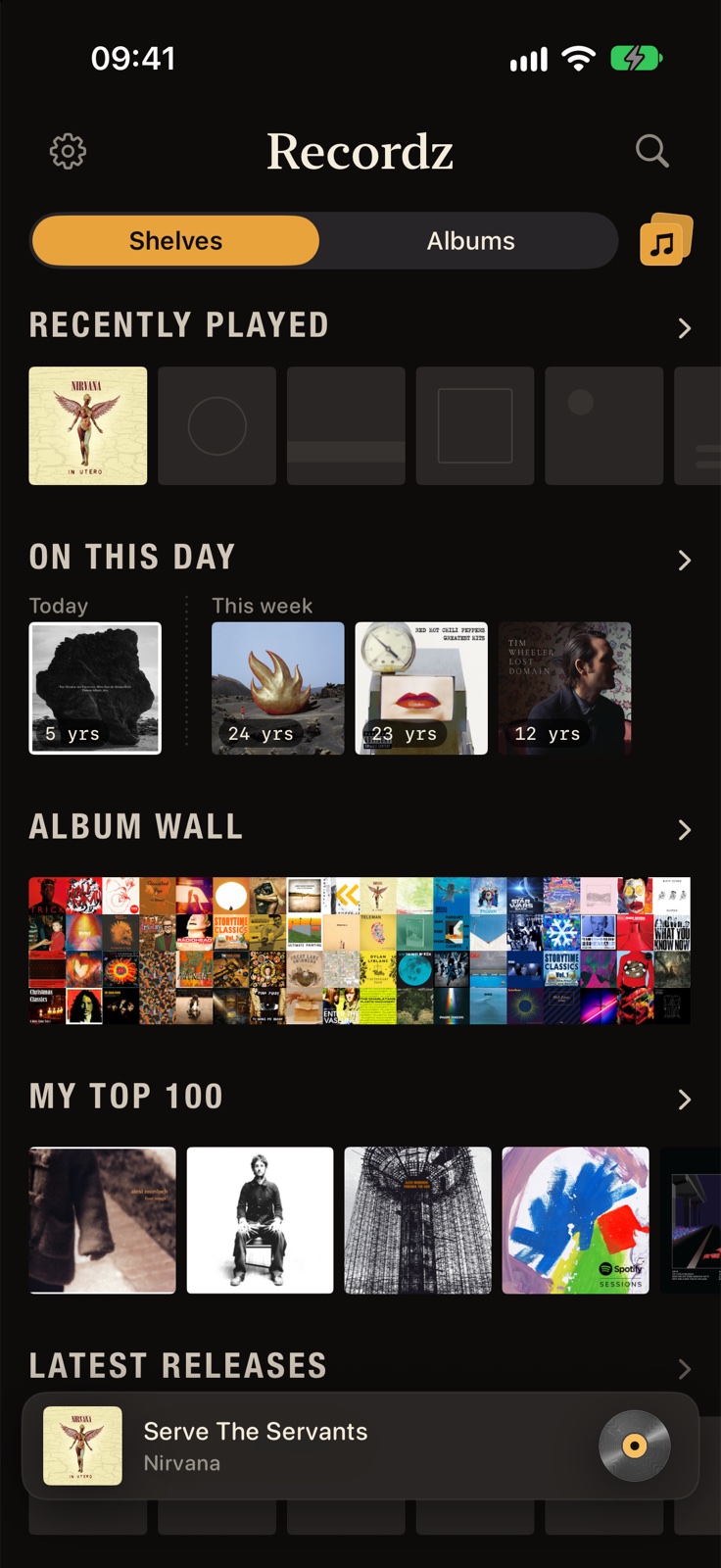
  • Recently Played, On This Day and My Top 100
  • An Album Wall of every sleeve you own
  • Latest Releases from the artists on your shelf
  • A Timeline by year, racks by genre, and your listening history
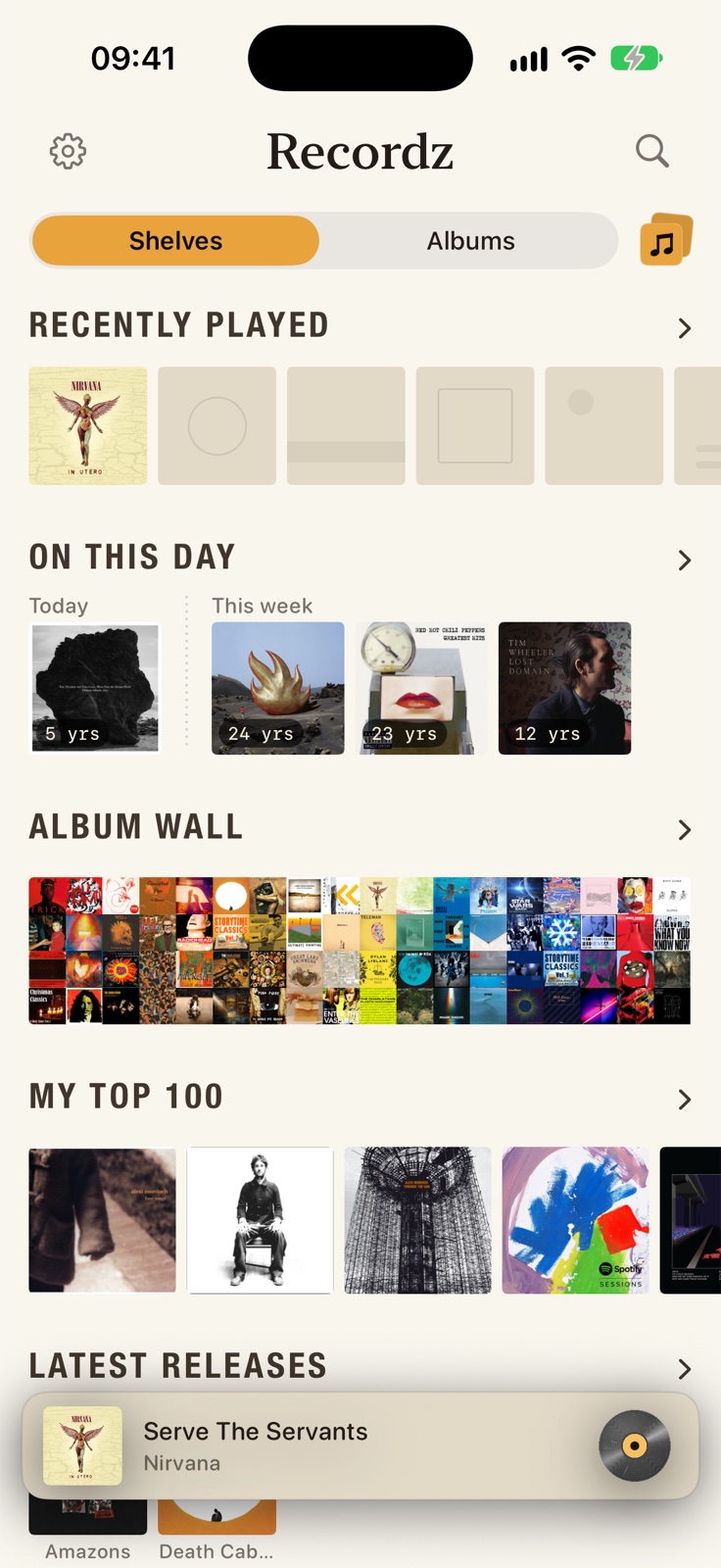
The Shelves tab: Recently Played, On This Day, Album Wall, My Top 100 and Latest Releases

Albums

Your collection, A to Z.

Every artist and album in one place, with letter tabs down the side like a record box.

  • Artist pages with their albums, singles, live records and compilations
  • Search albums, artists, playlists and songs
  • Find an album by name, or paste a link to it
The Albums tab, artists listed A to Z with letter tabs

Scan

Bring your shelf with you.

Photograph a row of spines, records or CDs, and Recordz reads the names and matches each album on Apple Music, ready to add in one go.

  • Reads the lettering on the spines, then matches on Apple Music
  • Hear an album from the scan before you decide to add it
  • The photo stays on your phone. Only the album names go to Apple Music
Scan albums: a photo of a row of record spines, and a close look at one of them matched to its album

Put a record on

A turntable, not a track list.

Hold a sleeve and the record goes on the deck. The arm drops, the record turns, and you flip it for side B.

Thirteen decks

Walnut, oak, matte black, silver, brass, acrylic, a DJ deck and more. Swipe across the top of the deck to change it.

Surprise me

A record you haven’t put on in a while, picked from your own shelf. Swipe to keep it, queue it, or skip.

Just the deck

Tap the header and the turntable takes the whole screen. Prop the phone up and let it play.

Across your devices

Your shelves, ranking and play log sync through iCloud between iPhone and iPad. Home Screen widgets show what’s on.

Appearance

Light or dark.

Dark by default, light if you’d rather, or follow your phone. Every shelf, sleeve and deck is drawn for both.

The Shelves tab in dark mode
The Shelves tab in light mode

Beta

Get it on TestFlight.

Recordz is in open beta. Install Apple’s TestFlight app, follow the link, and the beta installs like any other app, with updates as they come.

Join the TestFlight beta

Apple Music only, for now. You’ll need an Apple Music subscription. Recordz plays through the Music app, so nothing is stored or re-uploaded.

  1. Install TestFlightApple’s beta app, free on the App Store.
  2. Open the beta link on your iPhoneTap “Join the TestFlight beta” above. TestFlight opens and offers to install Recordz.
  3. Allow Apple MusicRecordz reads the albums in your Apple Music library and builds your shelves.
  4. Put a record onHold any sleeve. Then try Scan albums from the Add button on the Albums tab.